
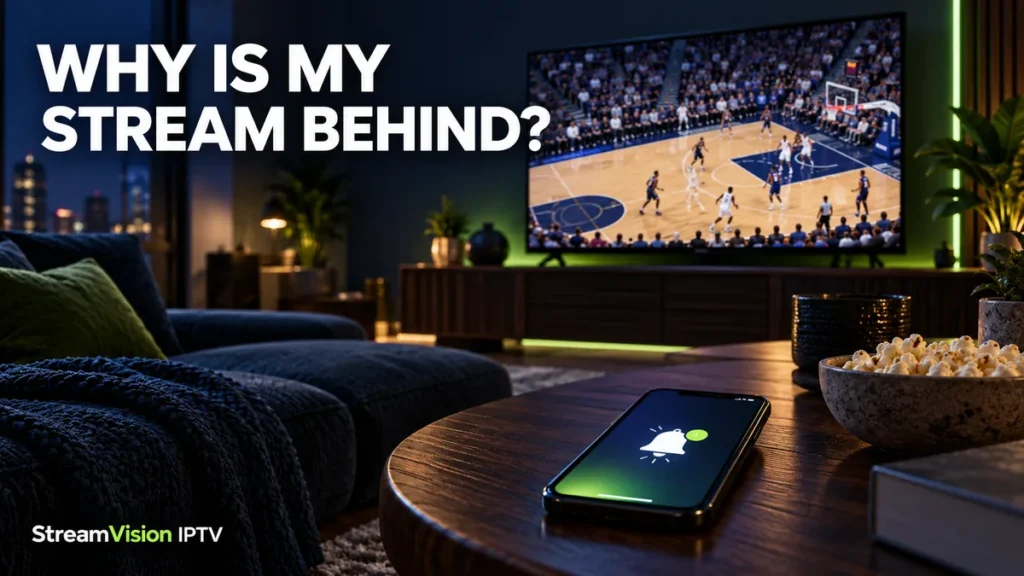
Your phone announces a basket before the player takes the shot on your TV. The picture looks clear, nothing is freezing, and your internet seems fine. Why are you still behind?
Live sports streaming delay is the gap between an event happening and its video reaching your screen. Some delay comes from the way the broadcast is prepared and delivered. Your player, device, and connection can add to it.
You can sometimes reduce extra delay, particularly if playback has fallen behind the live position. However, buying faster internet or changing a player setting will not necessarily remove the delay built into the stream.
Here is how to work out what you are seeing and which steps are worth trying.
Streaming Delay vs. Buffering: What Is the Difference?
The two problems can happen together, but they describe different experiences.
| What happens on your screen | What it means | What to check first |
|---|---|---|
| The picture plays smoothly but trails another screen | Broadcast or streaming delay | Whether you are at the player’s live position |
| A loading circle repeatedly interrupts playback | Buffering | Your connection, device, app, and the affected feed |
| Video and sound do not match | Audio synchronization problem | Whether it affects one channel or the whole app |
| Playback resumes after a pause and stays behind | You may be watching earlier content | The player’s Live or Go Live control, if available |
For example, a stream can be consistently behind your friend’s TV while playing perfectly smoothly. That difference alone does not establish a fault with your internet connection.
If the picture repeatedly stops, investigate the interruptions before trying to shorten the playback buffer.
Why Live Sports Streams Arrive Late
Before a game reaches your screen, its video must be captured, prepared for distribution, delivered over a network, and processed by your player.
Cloudflare’s explanation of live-stream encoding describes how video is compressed and commonly delivered in segments. Preparing and loading that video contributes to the time between the event and playback.
The player also keeps some video ready to help playback continue through brief delivery fluctuations. That reserve can improve stability while adding to the distance from the live event.
There is no single delay figure that applies to every sports stream. The service, feed, device, and playback settings all matter.
Why Your Phone Spoils the Score Before Your TV
A score notification and a video stream travel through different systems. The notification can reach your phone before the corresponding action reaches your TV.
Your friend may also be watching through a different broadcaster, streaming platform, device, or delivery method. Comparing their reaction with your screen tells you that the viewing experiences differ; it does not identify the cause.
For fewer spoilers during an important game, silence score alerts and avoid live commentary feeds while watching. That does not reduce the stream’s delay, but it can make the viewing experience less frustrating.
Start by Checking Whether You Are Actually Watching Live
If you paused the game, rewound a play, or returned to an earlier point, the player may continue from there rather than catching up automatically.
Look for a control labeled Live, Go Live, or something similar. Not every IPTV player provides one.
If your app has no such control, reopening the channel may start playback closer to its current live position. This depends on the app and provider, and it may interrupt viewing briefly.
Avoid assuming that the word “Live” means the picture has no delay. It usually identifies the current live stream, which still takes time to reach you.
Check for an Official Low-Delay Setting
Some services offer a broadcast-delay or low-latency option. Use the service’s own instructions because the setting may apply only to certain devices or types of content.
For example, Google’s streaming guidance documents a broadcast-delay adjustment for Primetime Channels in the YouTube app on TVs. It also explains the tradeoff: reducing the playback reserve can make interruptions more likely.
That setting is specific to the supported YouTube experience. It is not a universal menu available in every IPTV app.
If your player offers buffer controls, note the original value before making a change. Test one adjustment at a time and restore it if playback becomes less stable.
Can Faster Internet Reduce Live Sports Streaming Delay?
It can help when your existing connection is struggling to deliver the stream consistently. It cannot remove processing or delivery time that has already accumulated before the video reaches your home.
Before upgrading your internet plan:
- Check whether other streams also struggle.
- Compare playback near the router.
- Try Ethernet if your device supports it.
- Pause large downloads you control.
- Test during your normal viewing hours.
If the picture already plays smoothly, a higher download-speed result may produce little noticeable change in its position relative to the live event.
Ask the service what delay behavior to expect before spending money on a faster package.
Compare Devices Without Exceeding Your Plan’s Limits
If permitted, test the same event on another supported device. Keep the comparisons as similar as possible: the same feed, the same connection, and the current live position.
Stop playback on the first device before opening another if your plan allows only one active connection.
If one device is consistently further behind, check its player version, available updates, and playback settings. A different device may handle the stream differently, but one comparison does not prove that new hardware will solve the problem.
For Amazon devices, our Firestick provider and setup guide explains the compatibility information to collect before choosing a player or plan.
How to Compare a Provider Plan Before Paying
Use an available trial to check the experience you care about: your sports, your device, and your normal viewing time.
During the test, note:
- Whether you are at the player’s live position.
- Whether the delay stays broadly consistent or grows after interruptions.
- Whether playback remains comfortable to watch.
- Which feed, device, and app you used.
- Whether support can explain any available playback settings.
Our 24-hour IPTV trial checklist covers the other checks worth making, including channel access, audio, and the program guide.
StreamVision IPTV provides free provider matching and setup assistance. Our team can check available options against your device, location, sports requirements, and budget. Provider-issued free 24-hour trials are subject to availability and require no payment or card.
A paid subscription is a separate decision. Test first where possible, and ask about the full price and device rules before proceeding.
When to Contact Support About Streaming Delay
Contact support if the stream suddenly falls much further behind, the gap keeps growing, or playback remains behind after returning to the live position.
Include the channel, event, time zone, device model, app version, and whether the picture freezes. Explain what you compared and what changed.
Avoid reporting an exact delay based only on a score notification. Unless you have a reliable reference showing the same event, that comparison cannot establish the full time between the venue and your screen.
If you arranged a plan through StreamVision IPTV, contact our team or message us on WhatsApp. We help with setup and coordinate provider enquiries; third-party providers operate the streams.
For sports selection, our US sports-channel guide explains how to check the teams and events you need before subscribing.
Live Sports Streaming Delay FAQs
Is some delay normal when streaming live sports?
Yes. Preparing, delivering, and playing the video takes time. The amount varies between services, feeds, devices, and settings.
Why is my friend’s TV ahead of mine?
You may be watching through different services, feeds, devices, or playback positions. Start by checking that both players are at their current live position.
Will clearing the cache remove the delay?
It is not a general fix for broadcast delay. Follow your device or app’s cache guidance when troubleshooting an app problem, rather than expecting it to remove delay built into the stream.
Does a bigger buffer make live sports faster?
A larger playback reserve can help absorb brief interruptions in some players, but it can also add delay. Use the app’s documented settings and compare the results.
Can StreamVision guarantee a stream with no delay?
No. Delay depends on the provider’s delivery system as well as the player, device, and connection. We can help you check available options and arrange a trial when one is available.
Should I change providers because my stream is behind?
First confirm you are watching live and investigate any growing delay or repeated buffering. If the experience still does not meet your needs, compare another available option on your own setup before paying.